
Features
Everything a club runs on. All included.
Easy enough that nobody needs training, and ready for an AI assistant. Twenty-nine features your club can switch on or off, plus the website, the app, messaging and reports that are always there.




Easy for everyone
Easy for everyone. That was rule one.
Before any feature below, this is the part that matters most. If a parent has to be taught how to use it, they will not use it. Here is what we did about that.
No app store. No password.
Families tap one link and add the app to their home screen. They sign in with a code sent to their email.
One tap to answer
The home screen shows the next game or practice with two buttons: Going and Can't go.
One sign-in for the family
Every child and every team in one account. A parent can add the other parent and link the kids' own phones.
A roster from a list of names
Coaches paste a list. Names only is fine. They share one join link and families claim their own spots.
Attendance in one tap
Tap Everyone's here, then fix the few who are not. It still works at a field with no signal.
Help on every screen
Each screen has its own step-by-step guide and a short tour, in English and Spanish.
A setup list that checks itself off
Board members and coaches get a short checklist. Each step ticks itself when the thing is really done.
Bring last season with you
Load your families from a spreadsheet instead of typing them in again.


Ready for AI
Talk to it.
Connect your club to Claude, the AI assistant, and ask in plain words. A coach says what changed. The schedule changes, and the team hears about it.
- It can only do what you are allowed to do in the app.
- You see a preview before any announcement goes out.
- It never sees medical info, family contact details or private messages.
- Disconnect it any time. Everything also works by tapping.
Coach
You ask: Add practice Thursday 5:30 to 7:30 at Comet Field for the 5th-6th grade team.
The assistant answers: Done. It is on the schedule.
Result in the app: Practice NewThu 5:30 to 7:30 pm · Comet Field5th-6th Grade Tackle FootballAdded to the scheduleCoach
You ask: Practice moved to 6 tonight. Tell the team.
The assistant answers: Moved to 6:00 pm. Everyone on the team got the alert.
Result in the app: Practice Time changedTonight 6:00 pm · Comet Field5th-6th Grade Tackle FootballAlert sent: Practice moved to 6:00 pmBoard member
You ask: Post a club-wide announcement: picture day is Saturday at 9 at the clubhouse.
The assistant answers: Here is the preview. Send it?
Announcement previewGoes to every family in the clubPicture day is Saturday at 9:00 am at the clubhouse.You ask: Yes, send it.
Sent. You can ask who has seen it.
Coach
You ask: Who hasn't answered for Friday's game?
The assistant answers: Three players have no answer yet.
Friday's game · no answer yetMax R. #44Eli B. #12Sam K. #718 going · 2 can't go
A demonstration with a made-up club. Every request shown is one the assistant can carry out.
01 / Website and app
Your own website and phone app
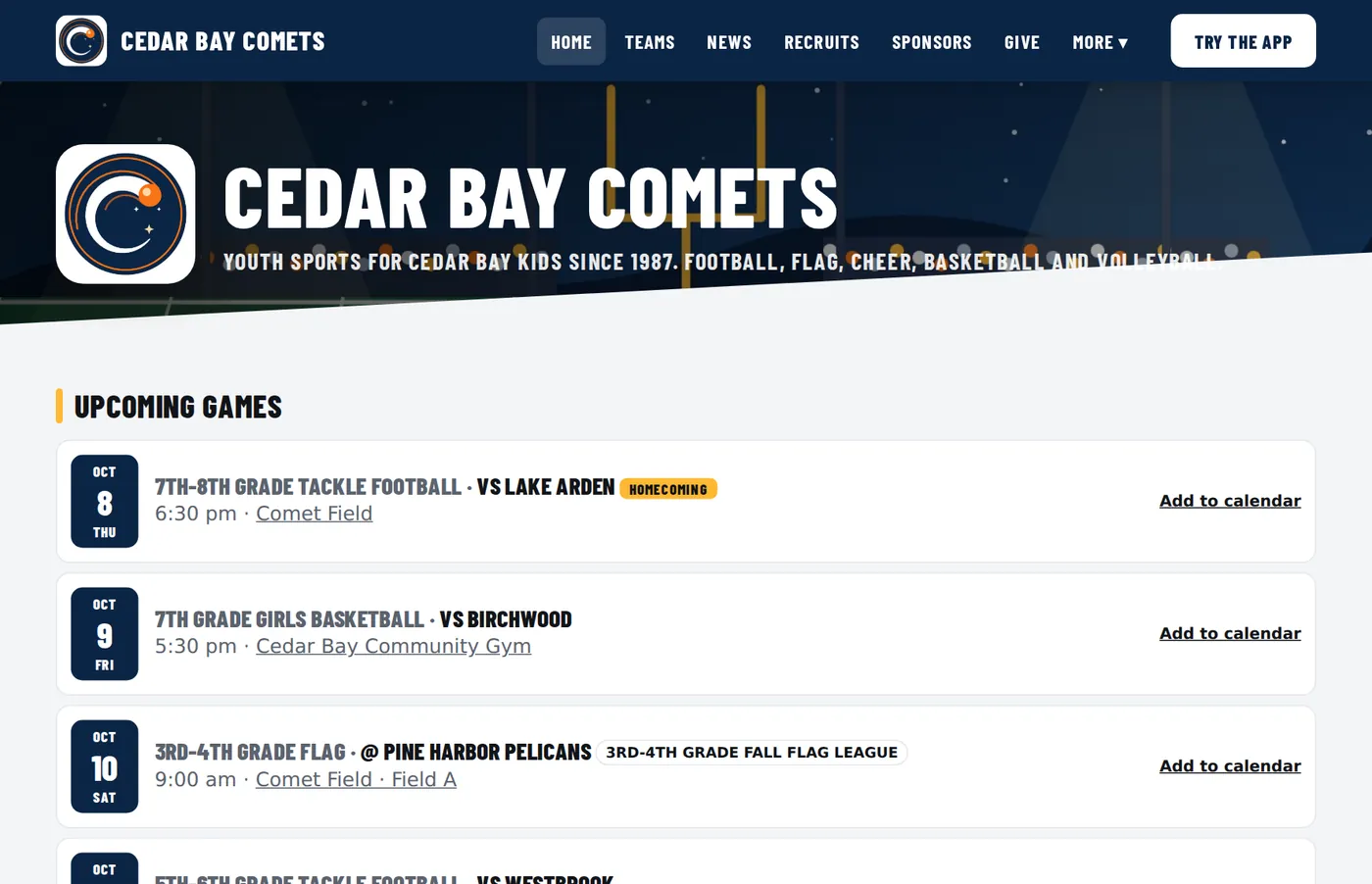
Your club gets a public website and an app with the same look. Colors are pulled from your logo. Families tap one link and the app is on their home screen. There is no app store and no password to remember.
- Team websiteSchedule, scores, teams, news, sponsors and sign-ups. It fills itself in from what coaches already enter in the app.See it work →
- Installs from your siteWorks on iPhone and Android. Families add it to their home screen in a few taps.See it work →
- Phone alertsSchedule changes and team messages reach the phone. Quiet hours and a daily limit keep it from being noisy.See it work →
- One sign-in, any mix of rolesOne person can be a parent, a coach and the concessions manager at once. And if their league or another club runs on MCM360 Sports, the same sign-in works there too.See it work →
- English and SpanishEvery family picks their own language for the whole app.See it work →

02 / Schedule
Schedule, attendance and weather
The home screen shows each family the next thing on their calendar. One tap says who is coming. Coaches see the head count before they leave the house.
- Going or can't goParents answer from the home screen. Coaches see who is going, who can't, and who has not answered.See it work →
- AttendanceCoaches mark who showed up. Players and parents see their own record.See it work →
- Weather alertsA forecast on each outdoor event, National Weather Service warnings, heat and cold guidance, and a 30-minute lightning timer families can watch count down.See it work →
- CarpoolsFamilies offer seats or ask for a ride to a game.See it work →
- Add to my calendarThe schedule can feed Google, Apple or Outlook calendars.See it work →


03 / Team Talk
Team Talk, in English and Spanish
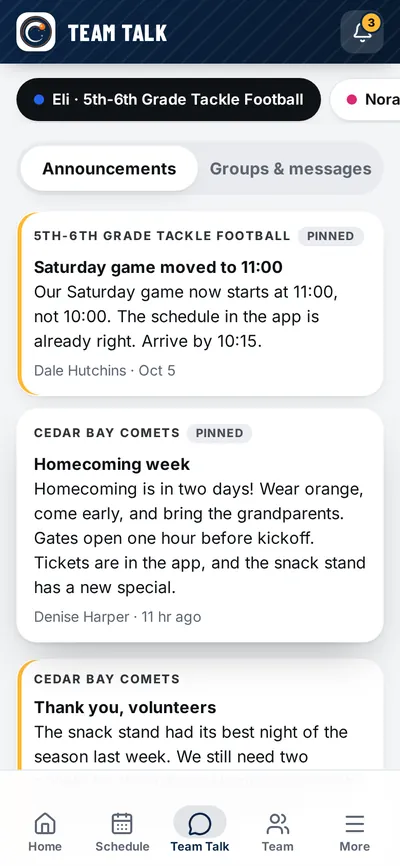
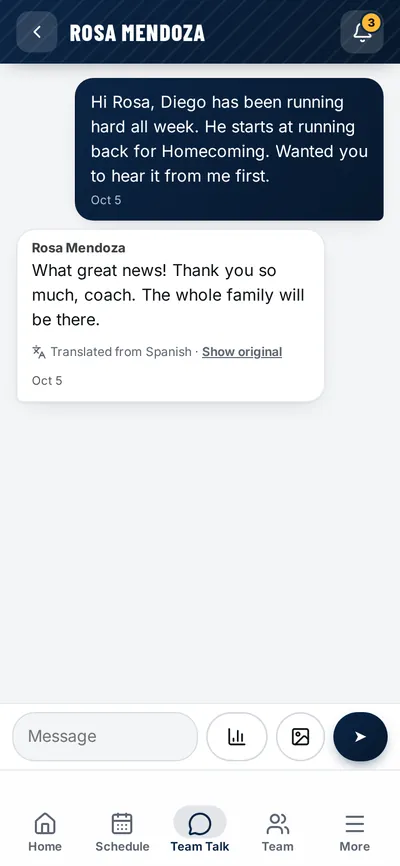
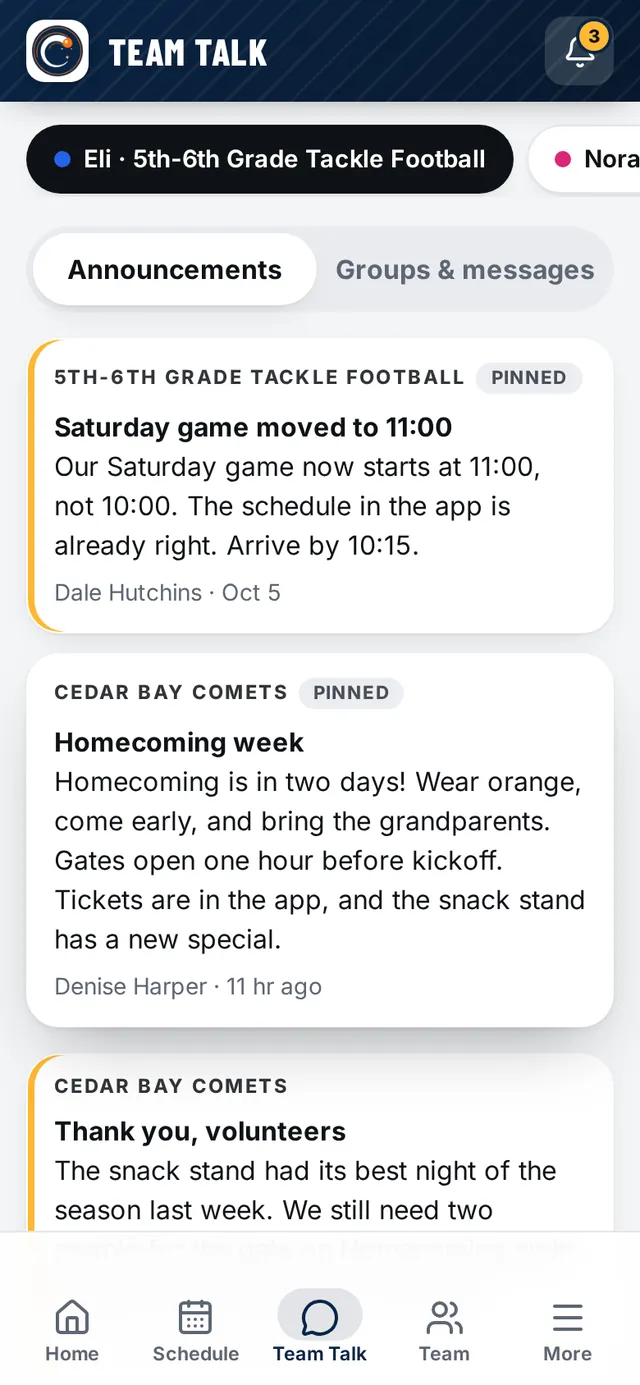
Official announcements stay separate from everyday chat, so nothing important gets buried. A coach writes in English and a parent reads it in Spanish. The parent answers in Spanish and the coach reads it in English.
- Announcements with read receiptsCoaches see how many families have opened each one. Urgent posts go out even during quiet hours.See it work →
- Group chats and private messagesWhole team, parents only, or one person. Ask the Coach gives players a direct line.See it work →
- Two-way translationMessages are translated for each reader. A small note says it was translated, and one tap shows the original.See it work →
- Club emailSend an email to the whole club or one group. See who opened it and remind the ones who did not.See it work →
- Polls and feedback surveysPut a question to a team or the whole club, or a secret vote for the board. Send an end-of-season survey, by hand or automatically, and see the answers team by team.See it work →

04 / Registration and money
Registration, payments and fundraising
Families get one link to sign up every child, sign the waivers and pay. Money goes straight to your club's own bank account through your own Stripe account. The treasurer sees who paid and who owes without building a spreadsheet.
- RegistrationDivisions by grade or birth date, your own questions, waivers, waitlists, and "copy last season" for next year.See it work →
- Payment plansFamilies can split the fee into payments. The app reminds them before each one.See it work →
- Team builder and live draftTurn a division of sign-ups into balanced teams, or run a live draft from coaches' phones.See it work →
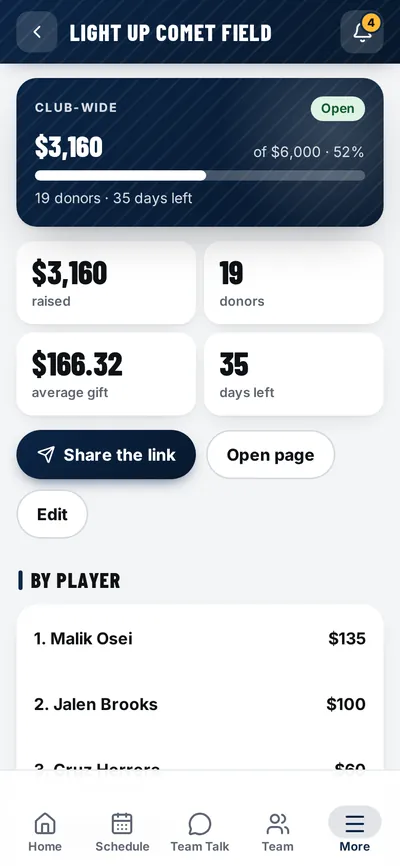
- FundraisersA public giving page with a progress bar. One-time or monthly gifts.See it work →
- Sponsor portalBusinesses pick a package, upload a logo and pay online or ask for an invoice.See it work →
- ReportsRegistrations, balances due, money by program, volunteer hours and more. Each one downloads for Excel or Google Sheets.See it work →


05 / Game day
Tickets, concessions and volunteers
Game day runs on volunteers. The app gives each of them one small job they can do from a phone, and takes the cash box and the clipboard off the table.
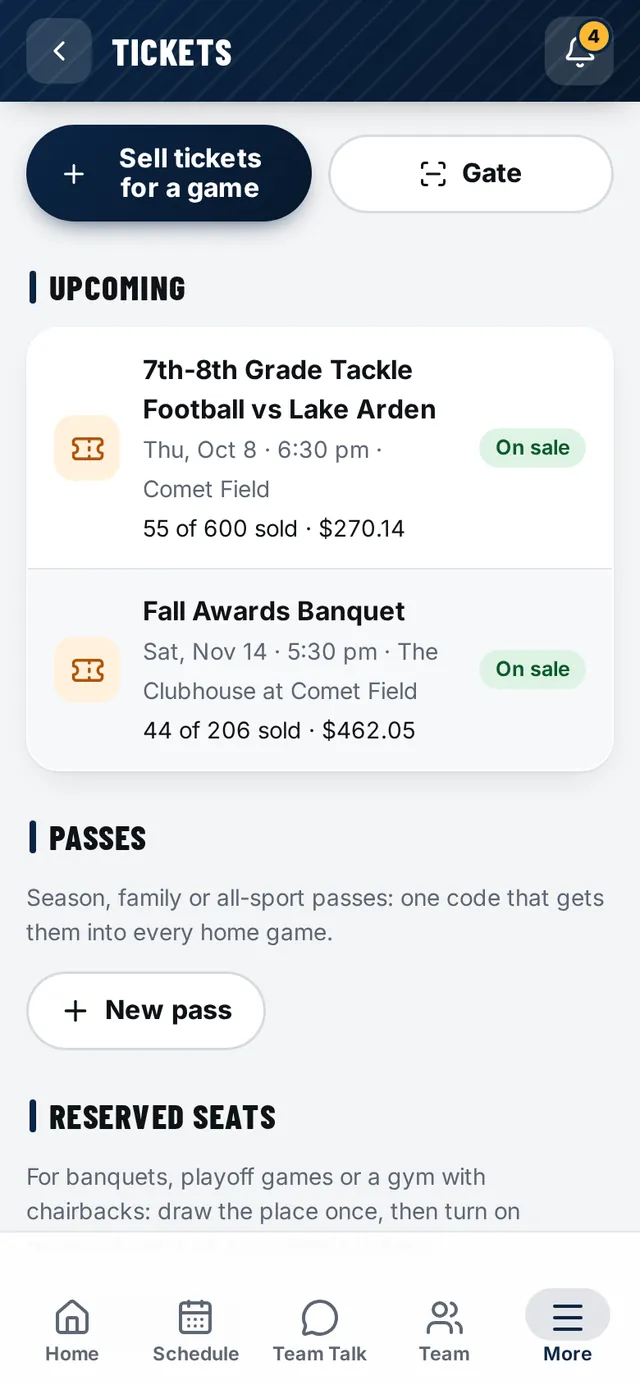
- TicketsFans buy on your website and get a QR code. It still opens with no signal, and it can go in Apple Wallet or Google Wallet.See it work →
- Gate scanning and card readersGate crew scan tickets with a phone camera. Sell at the gate with a card reader or take cash.See it work →
- Reserved seats and passesDraw your seating once for banquets or playoff games. Sell season and family passes.See it work →
- Concessions menuPrices and specials in the app, on your website and on a TV at the stand. Mark an item sold out with one tap.See it work →
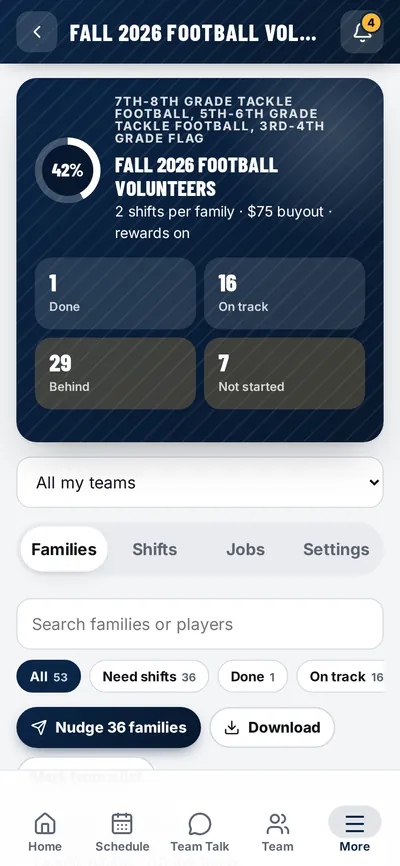
- VolunteersSet how many shifts each family owes. Families sign up with one tap and get reminders on their own.See it work →
- Referees and umpiresPut officials on your games and your tournament. They accept on their own page, pick up open games, and you see what each one is owed.See it work →

06 / Rosters and safety
Rosters, medical info, safety and paperwork
The things a coach needs on the sideline and a board needs on file. Each person sees only what their role allows.
- Rosters and family contactsJersey numbers, positions, parents and emergency contacts, always current.See it work →
- Kids under 13 join through a parentA young player who tries to join on their own is sent to a parent. The parent says yes, then gives the child a sign-in on their own phone with a code to scan. No email for the child.See it work →
- Medical info for coachesParents fill in allergies and conditions once. Coaches have it on their phone at the field.See it work →
- Incident reportsInjuries and concussions written down at the field, by the coach or the athletic trainer from a link. Locked once filed, ready for insurance, and a concussion keeps the player out until cleared.See it work →
- Emergency plansA plan for every game: who calls 911, who gets the AED, the address to read out. The coach hands out jobs from who's there, with a safety check and a one-page sign to post.See it work →
- EquipmentHand out, turn in, sizes and lost gear, by player.See it work →
- Coach clearancesTrack background checks and training, with reminders before they run out.See it work →
- Documents and handbookForms, playbooks and a club handbook families read and agree to in the app.See it work →


07 / Stats, coaching and recruiting
Game stats, coach tools and recruiting
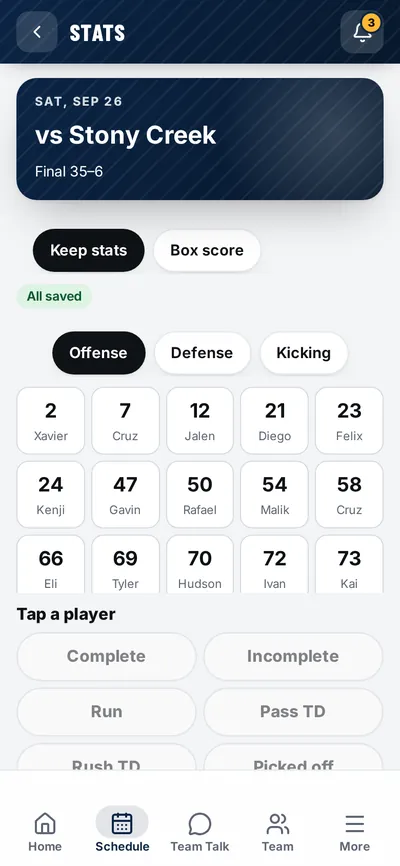
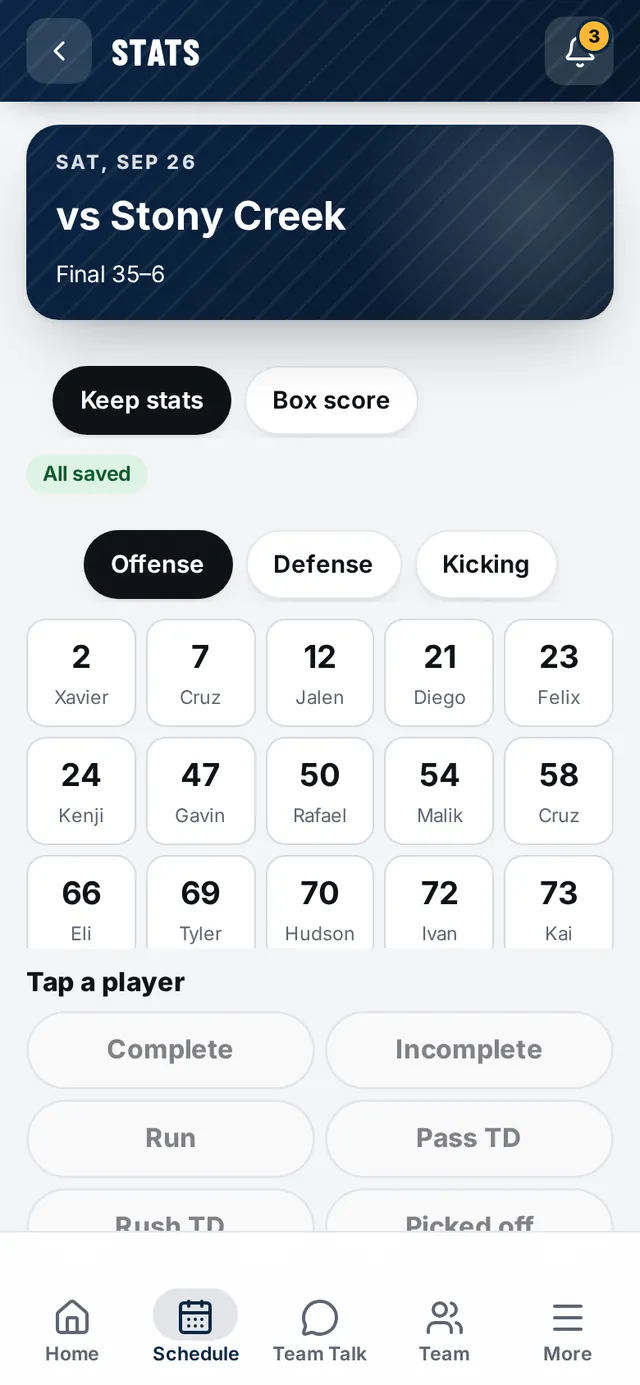
A stat keeper taps stats on a phone during the game. Box scores, season totals and team leaders build themselves. For high school athletes, those totals show on a recruiting profile as verified stats.
- Game stats51 sports come with a ready-made stat sheet. Build your own for any other sport in about a minute.See it work →
- Depth charts and playing timeA depth chart for every unit, and a game-day tracker an assistant or parent can run. Plays, minutes or innings, by sport, with your league's minimum-play rule. Coaches only.See it work →
- Game Ready for playersBefore every game, a plan with real times: lights out by, a real meal by, a snack and water. Players log water and sleep with a tap, build streaks, earn badges and fill the team's challenge bar.See it work →
- Practice plans and drillsReady-made practice plans for every sport and age group, with warm-ups, drills and conditioning built on how the sport is played. Change any part, print it, or run it with a timer.See it work →
- Skill checks and coach notesRate each player 1 to 5 on the skills that matter in your sport, with a next step for each. Each family sees only their own child's.See it work →
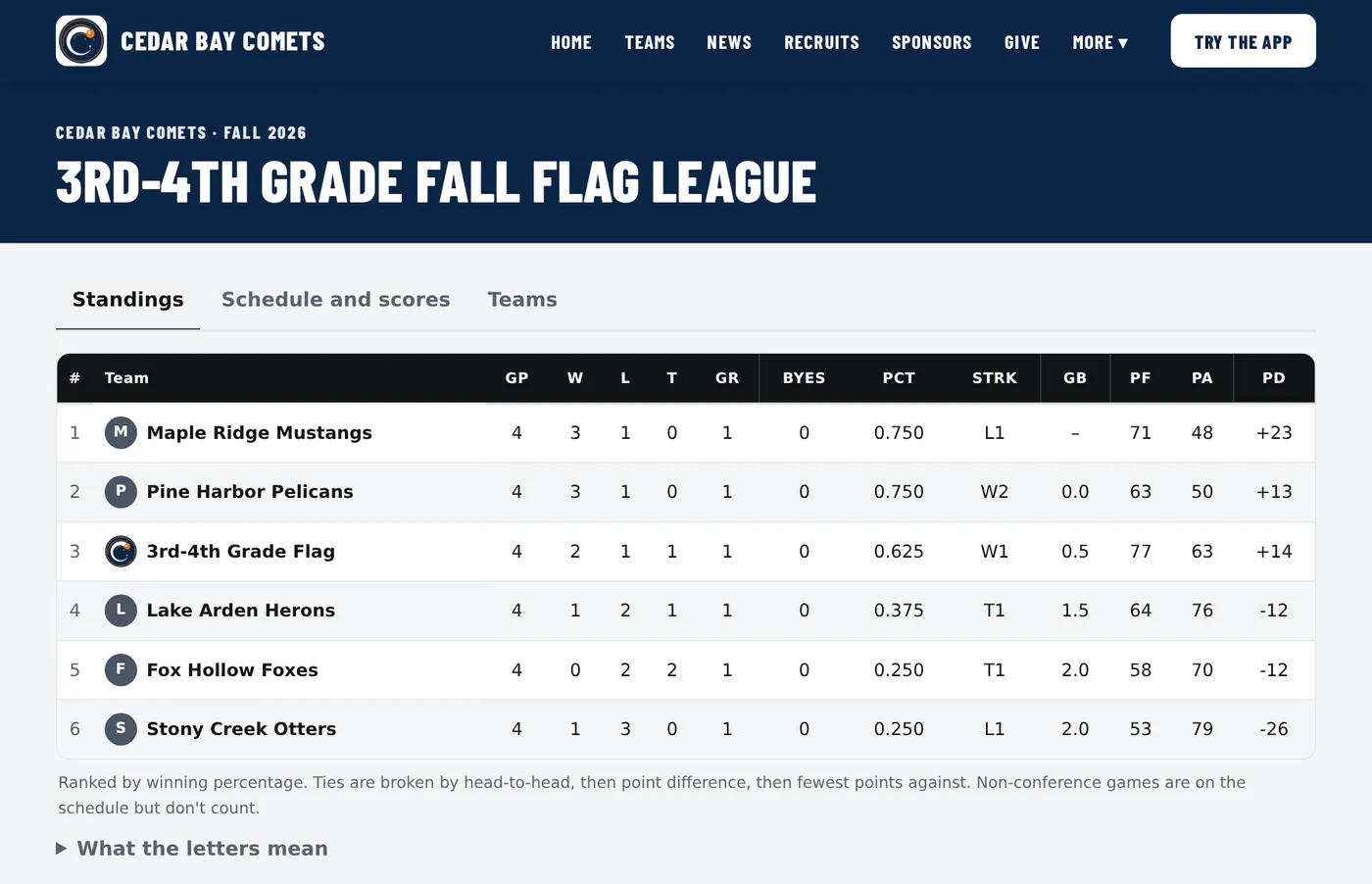
- Leagues and standingsRun an in-house league or a whole conference. Standings update the moment a score is posted.See it work →
- TournamentsHost your own tournament with outside teams. Pools and brackets build themselves, a final score moves the winner on, and parents follow a team for updates.See it work →
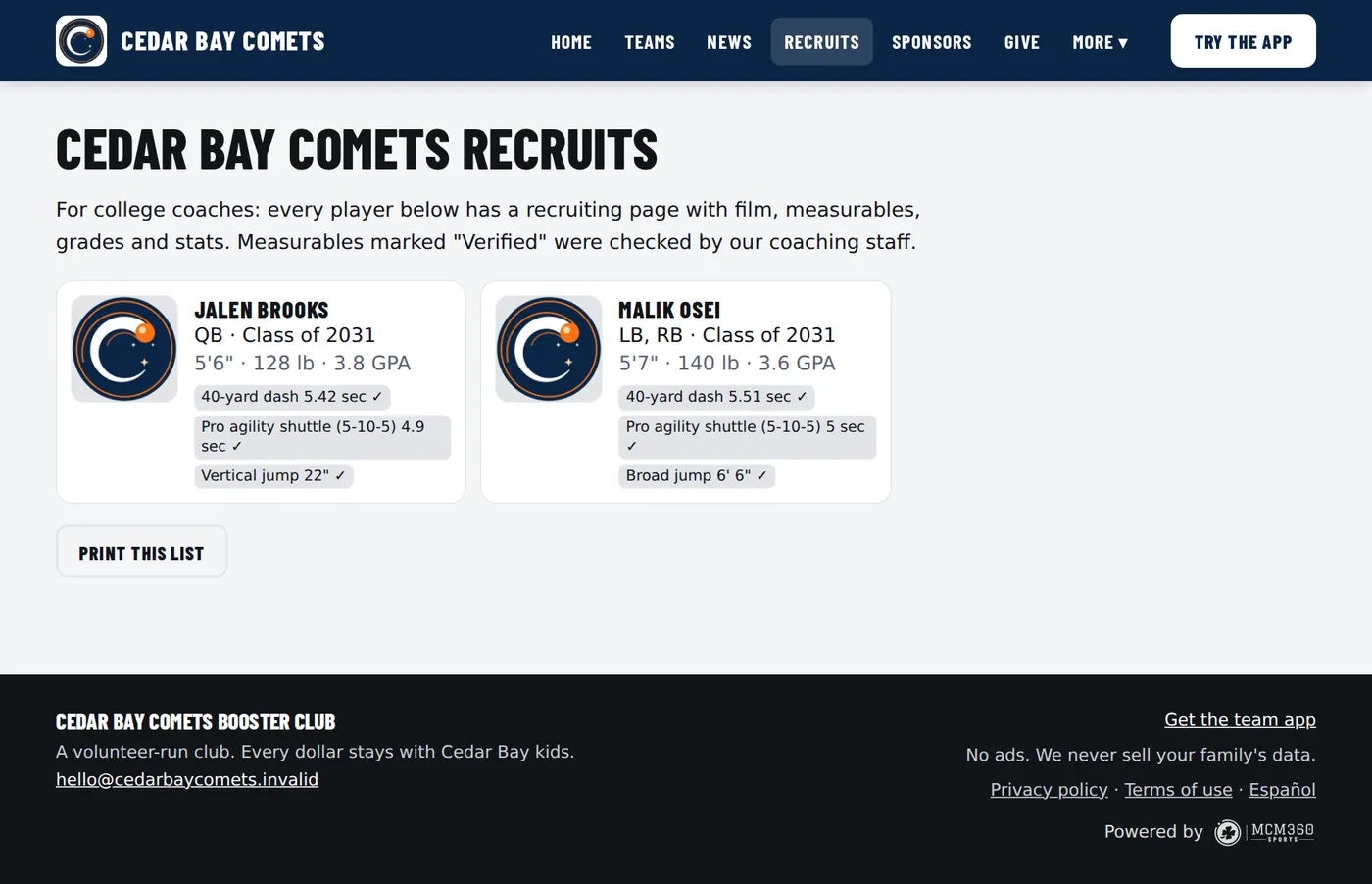
- Recruiting profilesFilm, measurables, grades and stats on one page a college coach can open. A parent approves it before it goes live.See it work →
- Recruiting AcademyShort lessons on how recruiting really works, for players 13 and up and their parents.See it work →
- Club AcademyFive-minute lessons about your club, the game and your story. Edit them yourself, with AI help if you want it.See it work →

08 / Club life
Photos, history, rentals and the team store
The parts that make a club feel like a club, and a few that bring in money while the field sits empty.
- Photo galleriesGame, team and facility albums in the app and on your website.See it work →
- History and Hall of FameTell your story with a timeline, league champions and the people who built the club.See it work →
- Facility rentalsRent out the clubhouse or field. Renters see open dates, you approve, and your own events block the calendar.See it work →
- Team store and gear promosLink the store you already use, from any provider. Families get a Shop now button in the app.See it work →
- FlyersGame day, score and sign-up graphics made from your logo, colors and schedule, ready to share.See it work →
- Booster club or board pageWho is on the board, open seats, the next meeting and past minutes.See it work →
- Board meetings and minutesAgendas, attendance and quorum, an optional recording, and AI-drafted minutes the board checks and approves. Works with Google Meet.See it work →
- Connect your own AI assistantCoaches and staff can connect Claude, the AI assistant, and ask in plain words. It can only do what that person can do in the app. The club owner decides if this is allowed.See it work →



The switches
Start with three features. Add the rest when you are ready.
Each feature is a tile with an on and off switch. Turn one on and the app opens it and walks you through setup. Turn one off and nothing is deleted. It just steps out of the way.


Tap through it yourself.
Every screenshot on this page comes from the demo club. Step in and try the same screens.